



Fix “zip END header not found” in Android Studio (Gradle Error Solution 2026
Struggling with the “zip END header not found” error in Android Studio?
You’re not alone — this common Gradle issue can stop your project from building completely.
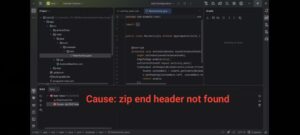
Quick Solution: This error is caused by corrupted Gradle files.
Replacing them manually fixes the problem instantly.
Replacing them manually fixes the problem instantly.
🔍 Why This Error Happens
This error appears when Android Studio fails to properly download or extract Gradle files.
- Interrupted download
- Corrupted Gradle cache
- Broken SDK setup
⚠️ Important: Reinstalling Android Studio will NOT fix this problem.
✅ Method 1: Fix by Replacing Gradle Files (Recommended)
- Open Android Studio
- Go to Gradle → wrapper
- Open gradle-wrapper.properties
- Copy the distribution URL
Now:
- Paste the URL into your browser
-
Remove extra slash after https
- Download the Gradle file
📂 Replace Files
- Extract the downloaded file
- Navigate to:
C → Users → YourName → .gradle → wrapper → dists - Open your Gradle version folder
- Delete the old corrupted folder
- Paste the new one
✅ This method fixes the issue in most cases instantly.
⚙️ Method 2: Use Local Gradle Installation
- Go to File → Settings → Gradle
- Select Local Installation
- Choose extracted Gradle folder
- Click Apply → OK
- Sync project
💡 Use this method if Method 1 doesn’t work.
🚀 How to Confirm the Fix
- Create a new project
- Wait for Gradle build
- No error should appear
💡 Pro Tips (Avoid Future Errors)
- Use stable internet connection
- Avoid canceling downloads
- Use SSD for faster builds
- Clear Gradle cache occasionally
📝 Conclusion
The zip END header not found error is caused by corrupted Gradle files.
By manually downloading and replacing them, you can fix the issue permanently.
This method works perfectly on Windows 11 (including 25H2).
❓ FAQ
Can I fix this without reinstalling Android Studio?
Yes, reinstalling is not required.
Does this work on all versions?
Yes, including latest Android Studio versions.
Why does Gradle get corrupted?
Mostly due to interrupted downloads or cache issues.
💬 If this helped you, drop a comment on the video and let others know!